Installation Guide
Introduction
ZHERO is a browser extension that provides enhanced tools and analytics for Zscaler users. It is published on both the Chrome Web Store and the Microsoft Edge Add-ons store: same extension, same features, same trial. To start your free trial, follow the installation steps below.
System Requirements
- Google Chrome, Microsoft Edge or another Chromium based browser (Brave, Opera, Vivaldi)
- A valid ZHERO account (you can create one after you’ve installed the extension)
- Zscaler Internet Access (ZIA) Administrator credentials
Installation Steps
Step 1: Download the Extension
ZHERO is published on two stores. Pick the one that matches your browser:
- Click the button for your browser above
- Click Add to Chrome (or Get on Edge Add-ons) and confirm
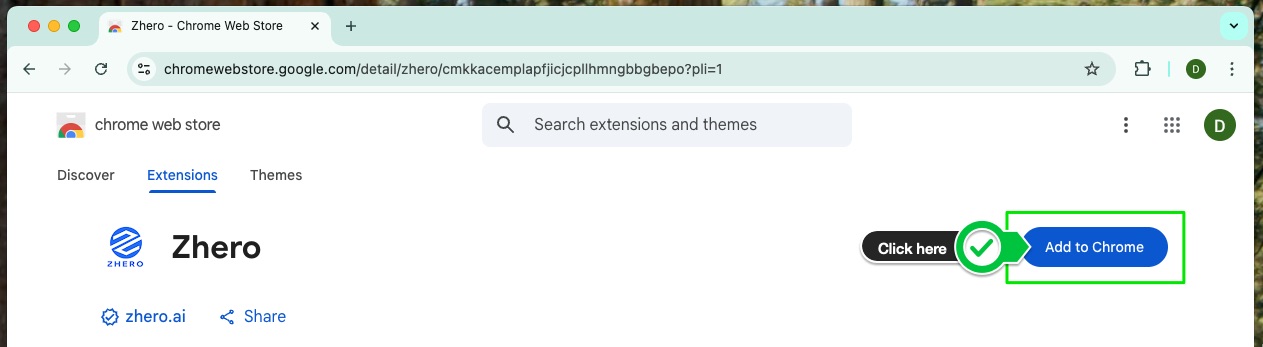
The screenshot above shows the Chrome Web Store listing. The Edge Add-ons page follows the same flow, with a Get button instead of Add to Chrome.
Step 2: Pin the Extension
To ensure easy access to ZHERO, pin the extension to your browser toolbar:
- Click the extensions icon in the top-right corner of the browser (the puzzle piece in Chrome, the puzzle piece or Extensions button in Edge)
- Find ZHERO in the dropdown list
- Click the pin icon (the eye icon on Edge, Show in toolbar) next to the ZHERO extension
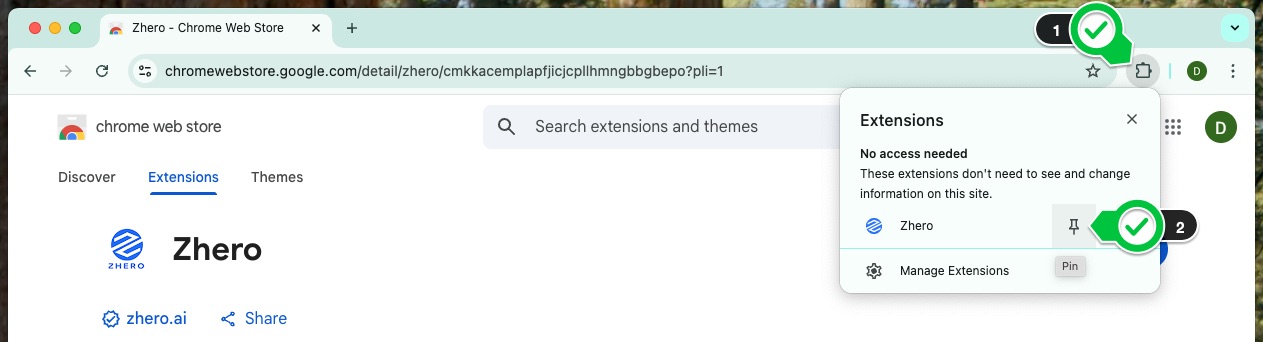
Now the ZHERO icon will always be visible in your browser toolbar for quick access.
Step 3: Account Setup
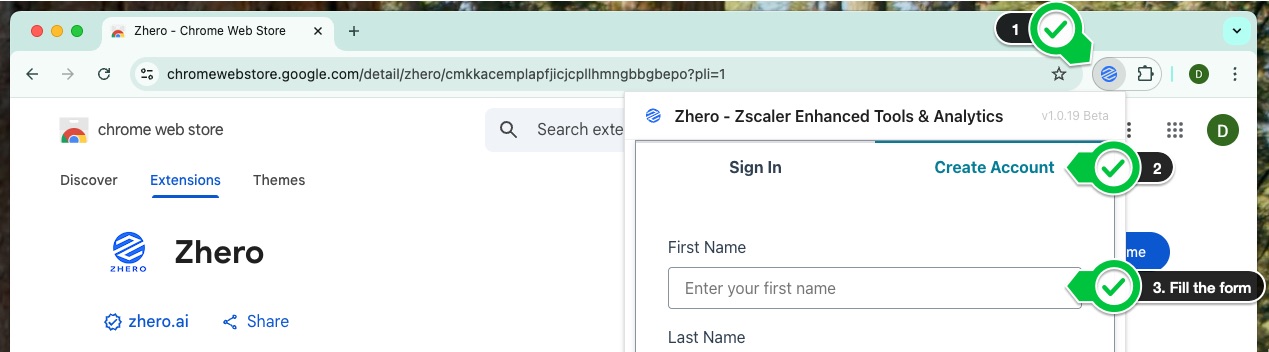
- Click the ZHERO icon in your toolbar
- If this is your first time using ZHERO, you’ll be prompted to log in or create an account
- Enter your credentials or follow the registration process if you’re a new user
Creating the account does not consume any trial day: the 30 days start with your first sign-in on a Zscaler tenant, in the next step.
Verification
To verify that the installation was successful:
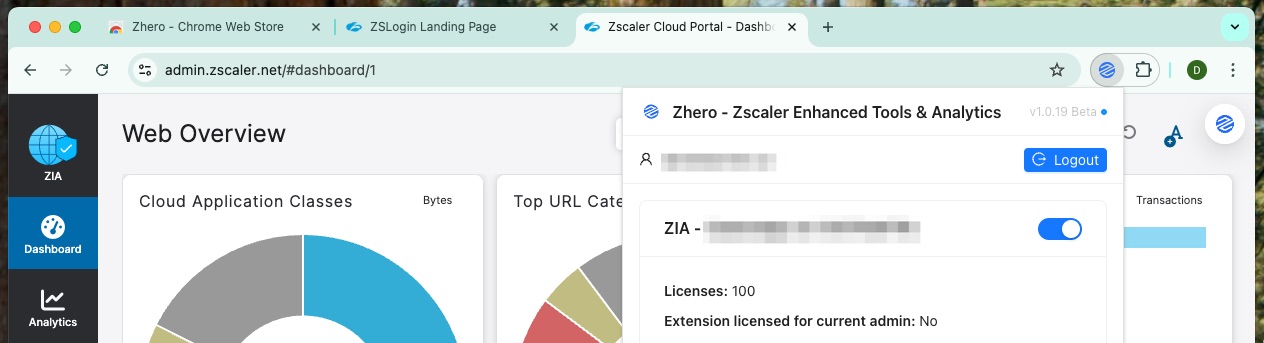
- Login as an Admin into your ZIA tenant console
- Click the ZHERO icon in your toolbar
- The ZHERO dashboard should appear with your profile and tenant information
This first sign-in on a Zscaler tenant with your ZHERO account is what starts the 30 day trial.
Next Steps
Now that you have successfully installed ZHERO, you can proceed to:
- Explore the free features of ZHERO on your own tenant
- Book a walkthrough with our team: we enable the complete feature set on your tenant, so you can evaluate ZHERO as a proof of concept on your real configuration
ZHERO in 5 minutes
Before you start, see one admin day with ZHERO inside the Zscaler console.