DLP Engines and File Types
In a ZIA rule, a DLP engine and a file type are just words: “PCI”, “Microsoft Office”. What they actually match is somewhere else in the console, and which other rules depend on them is not shown anywhere. ZHERO treats both as entities, with the same badge, hover card and drawer as everything else, so they explain themselves where you read them.
It is for whoever maintains DLP and file controls, and for anyone about to change one of them.
When to use it
- Reading a DLP rule: what does this engine really look for, and how many matches does it need?
- Before changing a file type or an engine: which rules use it, and what breaks.
- Reviewing file controls: which extensions a file type covers, and in which policies it is used.
Where to find it in the UI
Wherever a DLP engine or a file type appears in the Zscaler console or in ZHERO (in a DLP, File Type Control or Sandbox rule, or in the Entities table), it carries the usual ZHERO badge, hover card and drawer.
DLP engines
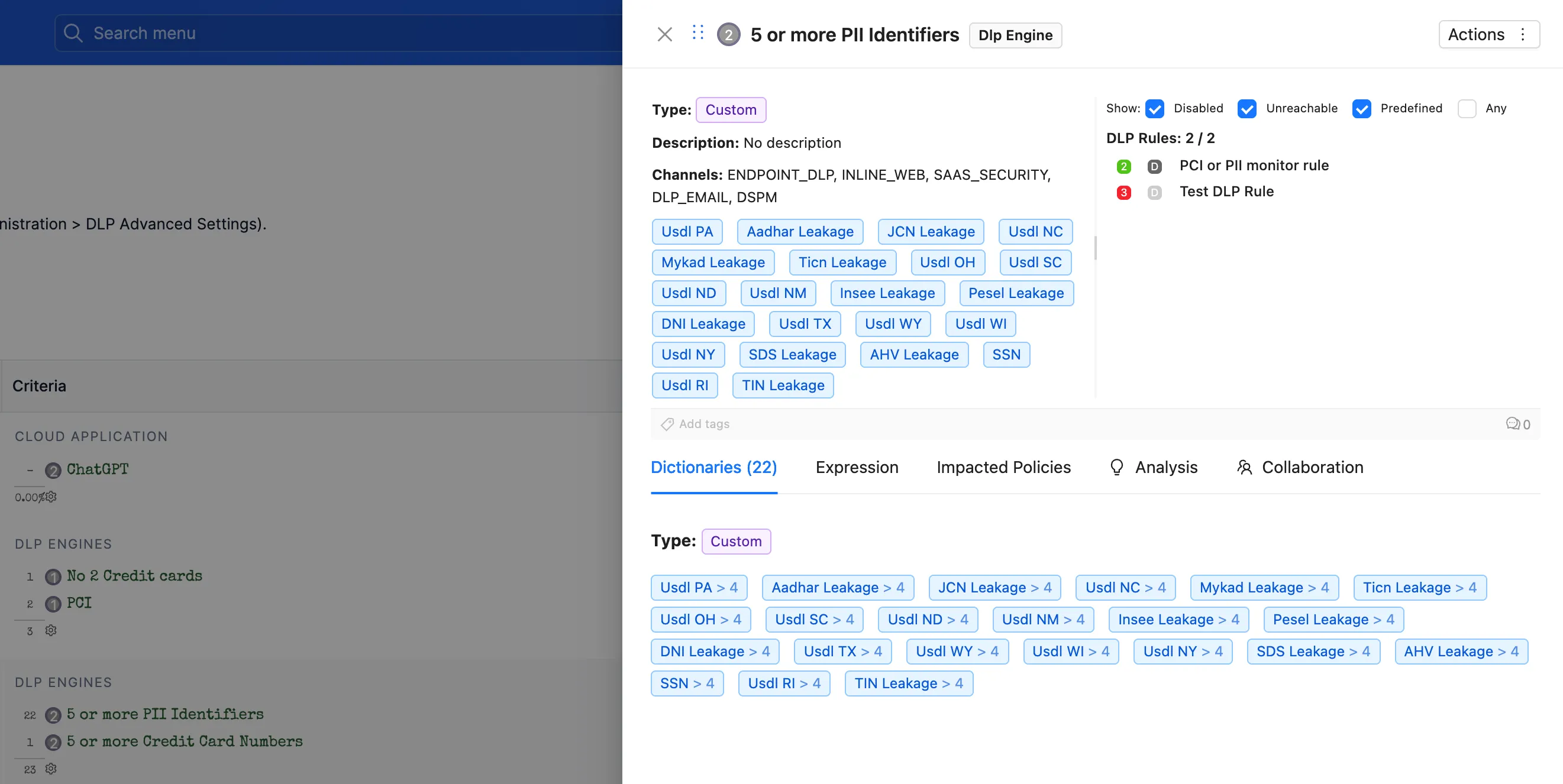
The card of a DLP engine shows:
- DLP Engine Information: whether the engine is predefined or custom, its description, and the channels it applies to.
- Dictionaries: every dictionary the engine tests. In the drawer each dictionary carries its threshold next to its name, for example “SSN > 4”: the engine needs more than four social security numbers before that dictionary counts.
- Impacted Policies: the rules that use this engine.
The drawer adds the engine’s Expression, for the cases where you need the exact logic. ZHERO writes it with the dictionary names in place of the ids Zscaler stores; the copy button still copies the raw expression, as Zscaler has it.
File types
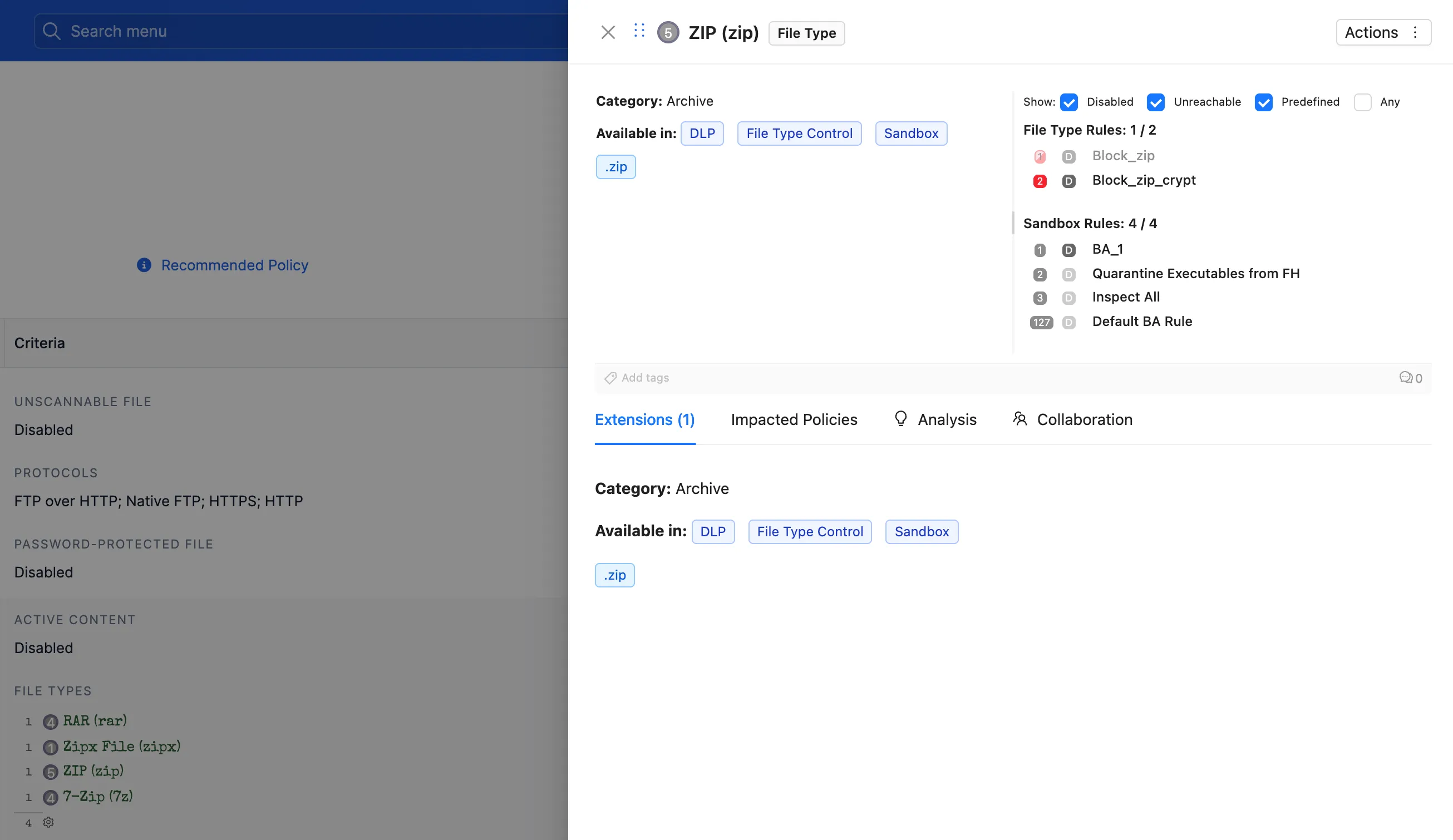
The card of a file type shows:
- File Type Information: the category the console files it under, and where it can be used (File Type Control, DLP, Sandbox).
- Extensions: every file extension it covers.
- Impacted Policies: every File Type Control, Sandbox and DLP rule that uses it.
What to watch
- Thresholds. An engine that needs more than a handful of matches will not fire on a document with a single card number. That is often the answer to “why did DLP let this through?”.
- Impacted policies before a change. A file type used in a Sandbox rule and in a DLP rule is two behaviours, not one. Check both before touching it.
- Extensions you did not expect. A file type often covers more extensions than its name suggests.
Limits and notes
- Available on ZIA tenants.
- Read-only. The card and drawer explain the engine and the file type; changes are made in the Zscaler console.
- An engine that exposes no expression says so in the drawer.
Related pages
- Entities Table: list DLP and file type rules with the columns you need
- Getting Around ZHERO: badges, hover cards and drawers
- Troubleshooting Engine: where DLP, file type and sandbox rules appear in a case
Next steps
- Open a DLP rule and hover its engine
- Check the thresholds of its dictionaries
- Open a file type you control and read its impacted policies